Coming soon
Stealth Job Search

Stealth Job Search: How to Find a New Job Without Your Boss Knowing

A stealth job search lets you find a new job while employed. Learn the main leak points, a step-by-step plan, and what to do if your boss finds out.

Mira Resume Editorial Team · Career content team Published Updated 12 min read
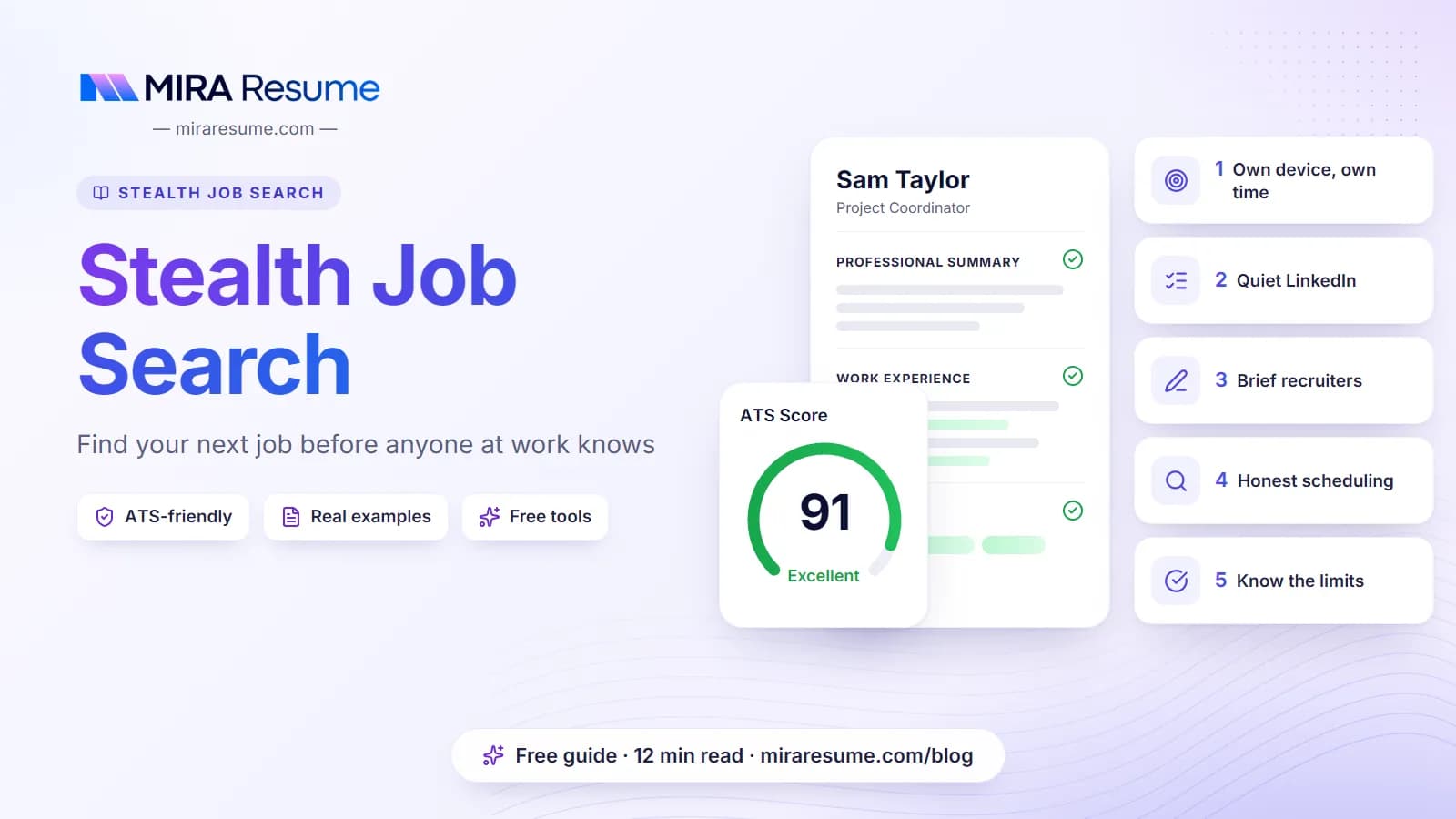
Stealth Job Search: cover image for the Mira Resume guide, with an example resume and the 5 main points

A stealth job search means looking for your next role while you still have your current one, without your manager, coworkers or company systems finding out before you are ready. It is how most careful people change jobs. You keep your income, you negotiate from a stronger position, and you can say no to offers that are not right.

The hard part is that a quiet search can leak in small ways: a LinkedIn setting left on, a job site open on a work laptop, a recruiter who calls your desk phone, or a sudden change in your schedule. None of these is a disaster on its own, but together they tell a story you may not want told yet.

This guide covers what a discreet job search looks like, why job hunting while employed is usually the smart move, the main leak points and how to close each one, a step-by-step plan, what to do if your boss finds out, and where Mira Resume's Stealth Mode fits in. Each part links to a deeper guide in our guides to job hunting while employed.

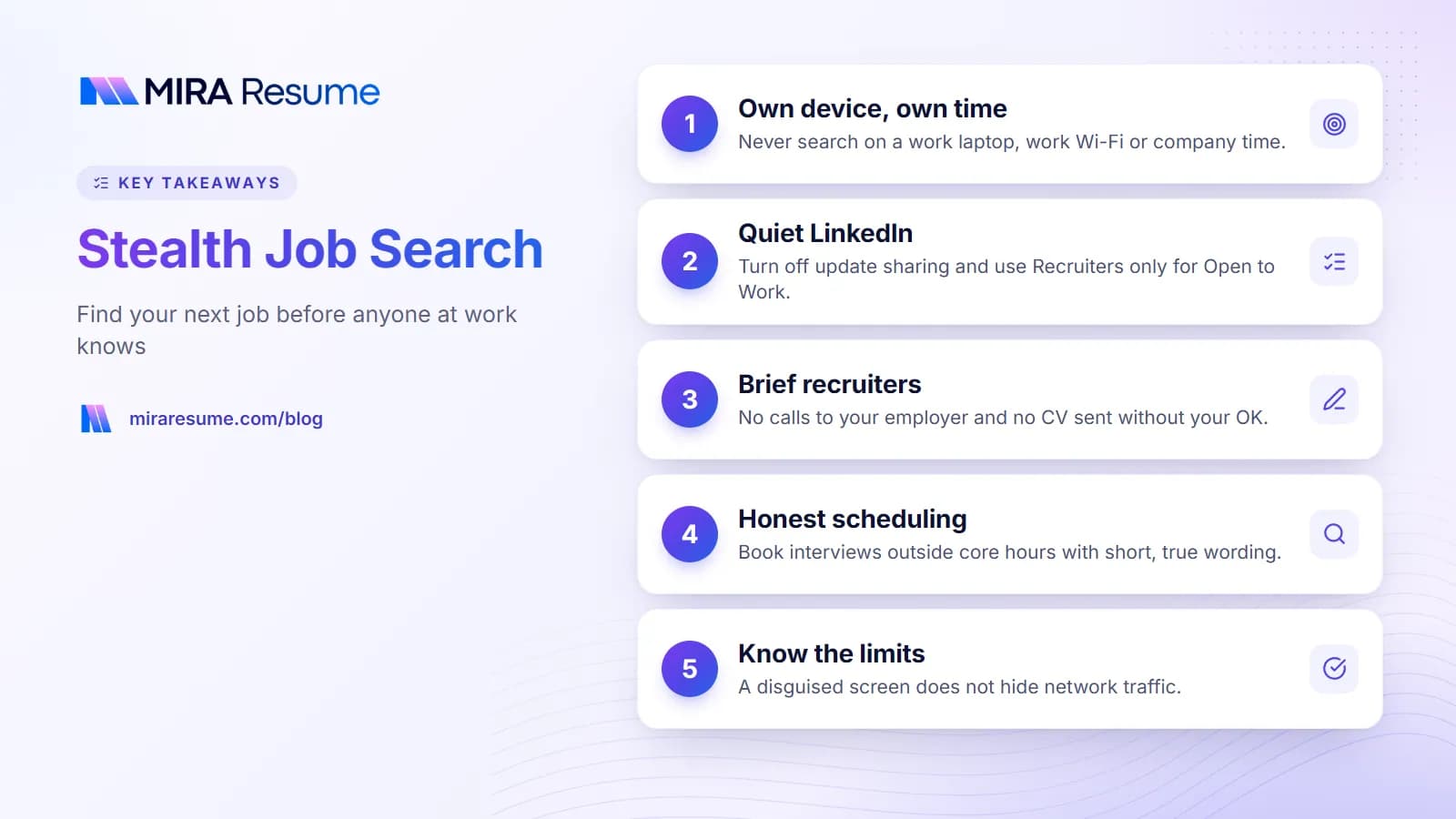
Key takeaways: 1. Own device, own time; 2. Quiet LinkedIn; 3. Brief recruiters; 4. Honest scheduling; 5. Know the limits
Key takeaways from this guide.

A stealth job search is an ordinary job search with one extra goal: keeping it private until you have a signed offer. You still update your resume, find openings, apply, network and interview. You just do it in a way that does not show up at work.

People use several names for the same idea: a discreet job search, a quiet job search, a stealth mode job search, or a confidential job search. In practice they all mean the same thing: your employer hears about your move from you, when you decide, and not before.

What a stealth search is not

  • It is not lying. You do not owe your employer a running update on your career plans, but you should not invent stories either. Privacy and dishonesty are different things.
  • It is not searching on company time. Browsing job boards during work hours or on a work laptop is the fastest way to get caught, and it can break company policy.
  • It is not disloyal. Doing good work and planning your next step can happen at the same time. If you are unsure about this part, read is it okay to look for a job while employed.

Who needs one

Almost anyone who is employed and looking. It matters most if you work in a small team where changes are noticed, in an industry where everyone knows each other, or in a place where your employer could react by sidelining you or letting you go.

In many US jobs, for example, employment is at-will, which generally means an employer can end the job for any lawful reason. In India and many other countries, notice periods of one to three months are common, so you may keep working alongside your manager for weeks after you resign. Keeping things calm before that point makes the notice period easier for everyone.

Why job hunting while employed is usually the smart move

Searching while you still have a job is not just common. It is usually the stronger position. Here is why.

  • Income. Your bills keep getting paid, so you are not pushed into the first offer out of worry.
  • Leverage. You can negotiate salary and title with a real alternative: staying where you are. A recruiter knows you can say no.
  • Choice. You can be selective, apply to fewer roles that truly fit, and walk away from a hiring process that feels wrong.
  • A clean story. Your resume shows no gap, and you never have to explain time away from work.
  • Fresh examples. You use your skills every day, so interview answers come from recent, real work.

There are real costs too. Time is tight, energy runs low after a full working day, and there is some risk if your search is discovered. The rest of this guide is about lowering that risk. For the time side, our guide on how to look for a job while employed includes a realistic weekly plan.

FactorSearching while employedQuitting first, then searching
IncomeContinues as normalStops; you rely on savings
Negotiating positionStrong, because staying is an optionWeaker, especially if the search runs long
Time availableEvenings, weekends and leave daysFull days
Risk at current jobSome, if the search is discoveredNone
ResumeNo gapA gap to explain if it takes a while
Interview schedulingNeeds planningEasy

Most searches are discovered through small, predictable leaks rather than bad luck. Close these and you remove most of the risk.

Work devices and the work network

This is the biggest one. A company laptop, work phone or office Wi-Fi may be managed and monitored. Depending on the employer and local rules, IT may be able to see sites you visit, files you save and emails you send. Private or incognito browsing does not hide your activity from the network or from monitoring software on the device. It only stops your own browser from keeping a history.

The fix is simple and strict: use your own device, on your own network (home Wi-Fi or mobile data), on your own time. Never save your resume to a work drive, never apply from your work email, and never print your resume on the office printer. For the details, read can my employer see my browsing history.

LinkedIn activity and Open to Work

Your colleagues can see your LinkedIn profile. Sudden changes, such as a rewritten headline, a burst of new skills, a new photo, or a wave of new recruiter connections, can be noticed. LinkedIn has settings that control whether some profile changes are shared with your network, so check them before you edit anything.

The Open to Work feature can be shown to all members with a photo frame, or set to recruiters only. LinkedIn says it takes steps to hide your Open to Work signal from recruiters at your current company when you choose recruiters only, but it cannot guarantee complete privacy. Our guide on how to hide Open to Work from your current employer walks through the settings to check.

References

Never list your current manager as a reference without asking, and do not let a new employer call your current workplace before you have an offer. Say it plainly in applications and interviews: "Please do not contact my current employer at this stage." Use former managers, former colleagues who have moved on, or clients you trust. In India, background verification often happens after an offer, so ask when and how your current employer will be contacted. Our guide to references on a resume explains how to build the list.

Recruiters

Recruiters can be useful allies, but give them clear rules. Share only your personal email and mobile number, ask them never to call your work line, and ask them to check with you before they send your resume to any company. That last rule stops your resume from landing at your own employer, or at one of its clients. If a recruiter ignores these rules, stop working with them.

Colleagues

The most common leak is a person, not a setting. Even a trusted work friend may mention it by accident, or be put in an awkward spot if asked. Tell no one at work until you have resigned. If you want advice, talk to friends outside the company, former colleagues, or a mentor in another organization.

Schedule changes

Long lunches, frequent half days and a sudden run of vague appointments are easy to spot. Spread interviews out, use early mornings, lunch breaks or the end of the day, and take proper leave for longer rounds. When you need time off, keep it short and honest: "I have an appointment" or "I need to take care of a personal matter" is enough. Do not invent illnesses or emergencies. If a made-up story falls apart, it hurts trust far more than the search itself. Our guide on how to interview while employed covers scheduling in detail.

Dress changes

If your office is casual, arriving in a suit on a random Tuesday sends a message. Change somewhere else, keep a jacket in your bag, or take video interviews from home. If you work remotely, the same idea applies to sudden blocks on your shared calendar and to camera calls taken from unusual places.

Public resumes and job board profiles

A resume posted publicly on a job board can be found by anyone searching that site, including your own HR team. Many job boards, including some popular in India, let you make your profile private or hide it from specific companies. Check those settings before you upload anything.

Leak pointHow it can give you awayFix
Work laptop or phoneMonitoring software, history, synced accountsUse a personal device only
Office Wi-Fi or VPNNetwork logs can show sites visitedUse home Wi-Fi or mobile data
LinkedIn editsUpdates shared with your networkCheck sharing settings first, edit in small steps
Open to WorkSeen by colleagues or company recruitersUse recruiters only, or leave it off
ReferencesA call to your current managerAsk employers not to contact your current workplace
RecruitersResume sent to your own employerApprove every submission yourself
ColleaguesWord of mouthTell no one at work until you resign
ScheduleA pattern of long lunches or vague absencesSpread interviews out, use leave, keep wording short and true
DressFormal clothes on a casual dayChange elsewhere or interview by video from home
Job board profileFound by recruiters at your companySet it to private or hide it from your employer
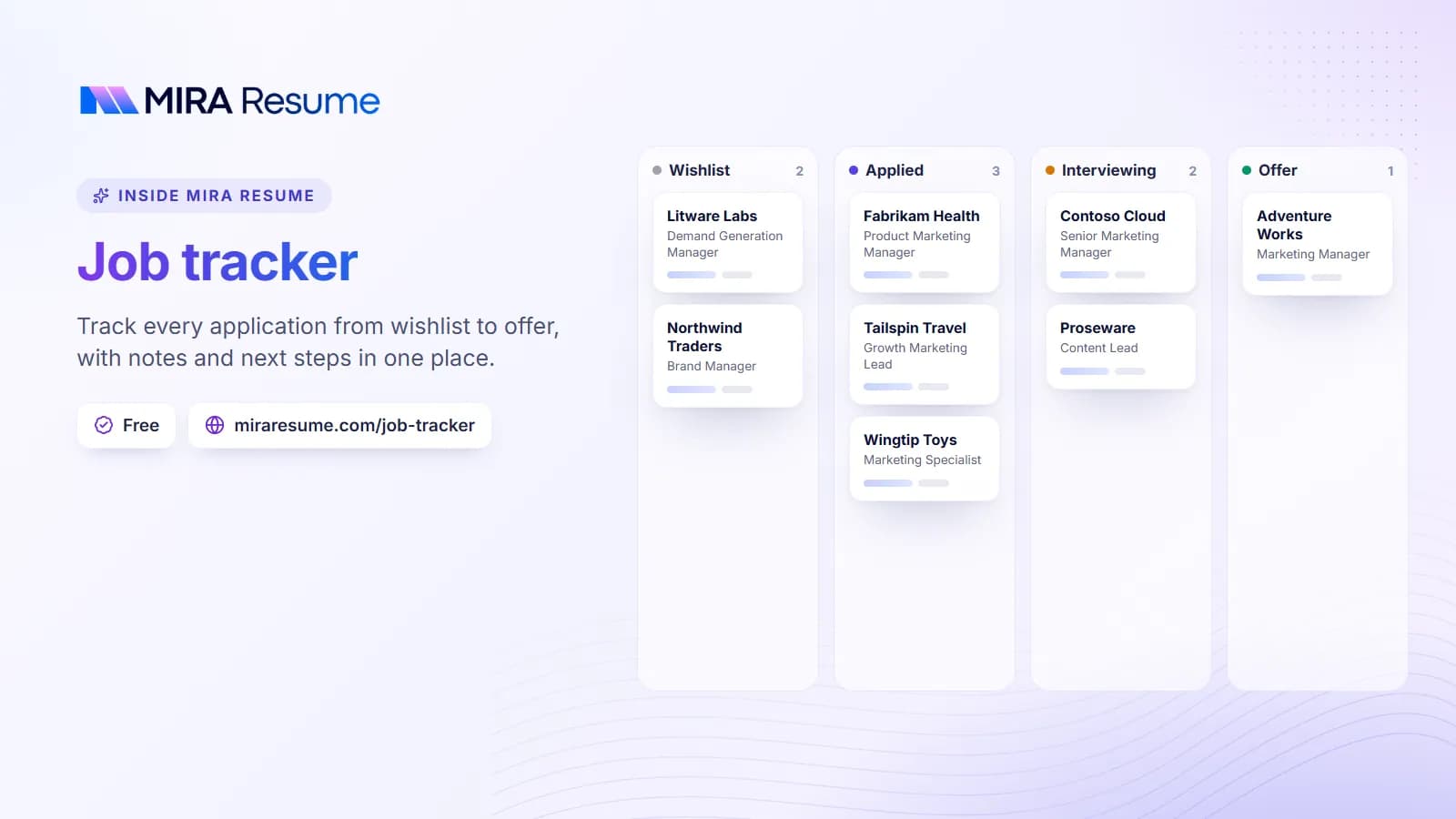
Illustration of the Mira Resume job tracker: Track every application from wishlist to offer, with notes and next steps in one place.
Illustration: Job tracker: Track every application from wishlist to offer, with notes and next steps in one place.Try it

If you want to look for a new job without your boss knowing, follow these steps in order. Each one closes a leak before it opens.

  1. Get clear on what you want. Write down the role, salary range, location or remote preference, and your deal-breakers. A narrow target means fewer applications and fewer chances to leak.
  2. Read your contract. Check your notice period and any non-compete, non-solicit, confidentiality or outside-work clauses. These affect timing and who you can talk to, not whether you can look.
  3. Set up a private toolkit. A personal email address, your own phone number, your own laptop or phone, and your home or mobile network.
  4. Update your resume away from work. Build or refresh it on your own device with the resume builder, then run it through the ATS checker before you send it anywhere.
  5. Fix your LinkedIn settings first, then edit. Check which changes are shared with your network, set Open to Work to recruiters only if you use it, and make changes gradually over a week or two.
  6. Find roles quietly. Use company career pages, job boards with private profiles, referrals from people outside your company, and tools such as Mira Scout, which finds jobs that fit your resume.
  7. Track every application. Keep one log of companies, dates, contacts and next steps. Our job search spreadsheet template is an easy place to start.
  8. Brief recruiters and referrers. Personal contact details only, no calls at work, and your approval before any submission.
  9. Schedule interviews with care. Early, late, lunch or leave days. Keep any explanation honest and brief.
  10. Keep doing good work. Your performance now is your next reference. Coasting is one of the clearest signs that someone is leaving.
  11. Resign only after a signed offer. Wait for written terms and, where possible, completed checks. Then follow our guide on how to resign from a job.

For a deeper version of steps 3 to 9, including what to do with your phone, email and calendar, see how to hide your job search from your employer.

A quick checklist before you start

  • Personal email, phone, device and network ready
  • Contract read for notice, non-compete and confidentiality terms
  • LinkedIn sharing settings checked; Open to Work set to recruiters only or off
  • Resume updated, checked and stored on your own device or account
  • Job board profiles set to private or hidden from your employer
  • Recruiters briefed: no work calls, approval before submissions
  • References chosen from outside your current company
  • Interview times and honest, short wording for time off planned
  • Thank-you notes ready to send from your personal email, using our follow-up email after interview examples
  • A plan for resigning well, including your two week notice letter

What to do if your boss finds out

Even careful searches are sometimes discovered. A recruiter mentions your name, a friend of a friend talks, or your manager simply asks. Here is how to handle it calmly.

Do not panic, and do not lie

A flat denial that later proves false does more damage than the search. You also do not have to share every detail. A calm, honest answer that keeps the focus on your work is usually best.

"Like most people, I'm open to hearing about opportunities. I'm committed to doing good work here, and I'd value a conversation about how I can grow in this role."

Turn it into a real conversation

If your manager asks why, you can share a true reason they might be able to address: growth, scope, pay or flexibility. Some managers respond with a new project, a raise or a clearer promotion path. Only take that route if staying could genuinely work for you.

Do not make threats or bluff

Avoid using an outside offer as a bargaining chip unless you really have one and would really take it. A bluff that gets called can end the conversation, and sometimes the job, badly.

Protect yourself

  • Keep your work quality high and your behavior professional. That is your best defense.
  • Pick up the pace of your search a little in case the relationship changes.
  • Re-read your contract for notice and leaving terms.
  • If you are told that searching will have consequences, ask for that in writing and consider local advice. Rules vary by country, state and contract, and this is not legal advice.

How Mira Resume's Stealth Mode fits in

Most of a stealth search is habits: your own device, your own network, your own time. One extra worry is the screen itself. On a commute, in a shared home or at a cafe, a job board is easy to recognize at a glance.

Stealth Mode shows real job listings inside a page that looks like an ordinary spreadsheet, with column letters, row numbers, a formula bar and sheet tabs. You search by typing in the formula bar, for example =JOBS("data analyst", "Bengaluru"), or plain text such as data analyst in Bengaluru. The browser tab shows a neutral file name instead of a job site, and pressing Esc twice jumps straight to a decoy budget sheet.

The jobs come from the same pool as Mira Scout: public company career boards on Greenhouse, Lever, Ashby, Workable, SmartRecruiters and Recruitee, remote-job feeds, and Adzuna. When you apply, Stealth Mode opens the employer's original posting. It works without an account, and signing in adds more rows, more searches and syncing.

PlanRows per searchSearches per dayWhat you get
Guest (no account)2515Save up to 10 jobs in that browser
Free account5040Saving and marking jobs as applied syncs to the Mira Job Tracker
Pro100300Salary and seniority filters, a Match % column that scores each job against your resume (no AI credits used), CSV export, a tab with your Mira Scout matches, 2 decoy sheets
Elite and Lifetime250No daily cap (fair use)Everything, including all 4 decoy sheets, a custom file name, and auto-hide that switches to the decoy sheet when you leave the window

An honest limit: Stealth Mode changes what is visible on your screen. It does not hide your browsing from your employer's network, proxy or monitoring software. On a work laptop or work Wi-Fi, your employer may still see that you visited the site. Use your own device and your own network.

If you want to understand what a match percentage can and cannot tell you, read job match score explained. Used well, it helps you skip roles that fit poorly and spend your limited evenings on the ones worth tailoring for.

Frequently asked questions

What is a stealth job search?

A stealth job search is looking for a new job while you are still employed, without your manager or coworkers finding out until you have a signed offer. It involves using your own device and network, keeping LinkedIn changes quiet, briefing recruiters, choosing references carefully, and scheduling interviews around work in honest, low-key ways.

Can my employer find out I am looking for a job?

Yes, it is possible. The most common ways are a monitored work device or network, LinkedIn changes or Open to Work being seen, a recruiter sending your resume to the wrong place, a reference call, or a colleague talking. You lower the risk a lot by using your own device and network, checking LinkedIn settings and telling no one at work.

Should I turn on Open to Work while employed?

If you use it, choose the recruiters-only option rather than the public photo frame. LinkedIn says it takes steps to hide the signal from recruiters at your current company, but it cannot guarantee complete privacy. If being found out would cause real problems, you may prefer to leave it off and rely on applications, referrals and recruiters you contact yourself.

What should I say if my boss asks if I am job hunting?

Stay calm and do not lie. You can say that, like most people, you are open to hearing about opportunities, and that you are committed to doing good work in your current role. If it fits, turn it into a conversation about what would help you grow there. Avoid threats or bluffs about offers you do not have.

Does Stealth Mode hide my browsing from my employer?

No. Stealth Mode changes what is visible on your screen by showing job listings inside a page that looks like a spreadsheet, with a neutral tab name and a decoy sheet. It does not hide your browsing from an employer's network, proxy or monitoring software. Use your own device and your own network for any job search.

Is it okay to look for a job while employed?

Yes. Looking for a new job while employed is normal and generally lawful in most places. What matters is how you do it: on your own time and device, without sharing confidential information or breaking contract terms such as notice periods or non-solicit clauses. Rules vary by country, state and contract, so check yours. This is general information, not legal advice.

Found this useful? Share it

Send it to a friend who is job hunting, or save it for later.

Read this guide with AI

Get a plain-language summary and help applying it to your own resume. Pick an assistant; it opens with this article and a ready prompt.

Back to Stealth Job Search hub

All articles