
Lots of job seekers type what is ATS resume into a search box after a friend says their resume "did not pass the ATS." The short answer: an ATS resume is a normal resume that has been built so hiring software can read it without mistakes. It is not a special document or a secret format. It is a clear, simple resume that a computer and a person can both follow.
This guide explains the idea in plain English. You will learn what an applicant tracking system does, what makes a resume friendly to it, which myths to ignore, and how to test your own file before you apply.
What is an ATS resume? The short answer
ATS stands for applicant tracking system. It is software that employers use to collect job applications, store them in one place, and help recruiters search through them. When you apply online, your resume usually goes into one of these systems.
An ATS resume (also called an ATS-friendly or ATS-optimized resume) is a resume made so that this software can read it correctly. That means the system can find your name, your job titles, your dates, your schools, and your skills, and put each one in the right box.
The phrase ATS resume meaning comes down to three things:
- Readable. The file has real text that can be copied, not a picture of text.
- Predictable. Sections have standard names and appear in a normal order.
- Relevant. The words match the kind of work the job asks for, because recruiters often search by words.
Nothing about an ATS resume has to look boring. It only has to be easy to read in order, from the top of the page to the bottom. A tidy layout with good spacing can look sharp and still work well.
Is an ATS resume a different document?
No. You do not need to keep a "regular" version and an "ATS" version. One clean, honest, well-organized resume does both jobs. The only time you might keep two files is when you want a more designed version to hand to a person at a networking event. For online applications, send the simple one.
What an applicant tracking system does with your file
Understanding the software makes the rules easier to remember. Here is what usually happens after you press submit.
- The file is opened. The system reads your PDF or Word file and tries to pull out the text.
- The text is sorted. A parser looks for clues, such as a heading that says "Experience" or a date range, and puts the information into fields on a profile.
- The profile is stored. Recruiters can open the profile, search it, filter it, or read your original file.
- A person decides. In most cases a recruiter or hiring manager reviews the applications and chooses who to contact.
Employers set up their systems in different ways, and we cannot see inside any one of them. Some use the system mainly as a filing cabinet. Others add screening questions or rank applicants using their own rules. That is why the safest plan is a resume that reads clearly in any setup. For a deeper walkthrough, see our guide on how ATS works, and for the reading step in detail, see the ATS resume scanner article.
Why a bad read hurts you
If the parser mixes up your file, a recruiter may see a profile with the wrong job title, missing dates, or blank contact details. Even when the original file is still available, a messy profile is a poor first impression. And if a recruiter searches for a skill you do have but the system never saw it, you may not appear in the results. Fixing this is easy and costs nothing, which is why it is worth doing.
ATS resume vs. regular resume: what is different?
Most differences are small. They are mainly about layout choices that look nice to a person but confuse software.
| Feature | Typical designed resume | ATS-friendly resume |
|---|---|---|
| Layout | Two or three columns, sidebars, shapes | One column, top to bottom |
| Section names | Creative ("My Story", "What I Do") | Standard ("Summary", "Work Experience", "Education", "Skills") |
| Skills | Rating bars, dots, or icons | Skills written as words in a list |
| Contact details | Often in a header or a sidebar | In the main body at the top of page one |
| Fonts | Decorative or custom fonts | Common, readable fonts |
| Photo | Often included | Left out for most roles (norms vary by country) |
| File | May be an image-based export | Text-based file with selectable words |
If you like to use a template, pick one that already follows these habits. You can browse our resume templates to see layouts built with this in mind. If you plan to use a Word file, our guide to Microsoft Word resume templates explains what to watch for.
The ATS resume format: layout rules that work
Think of the ATS resume format as a short list of habits. None of them are hard.
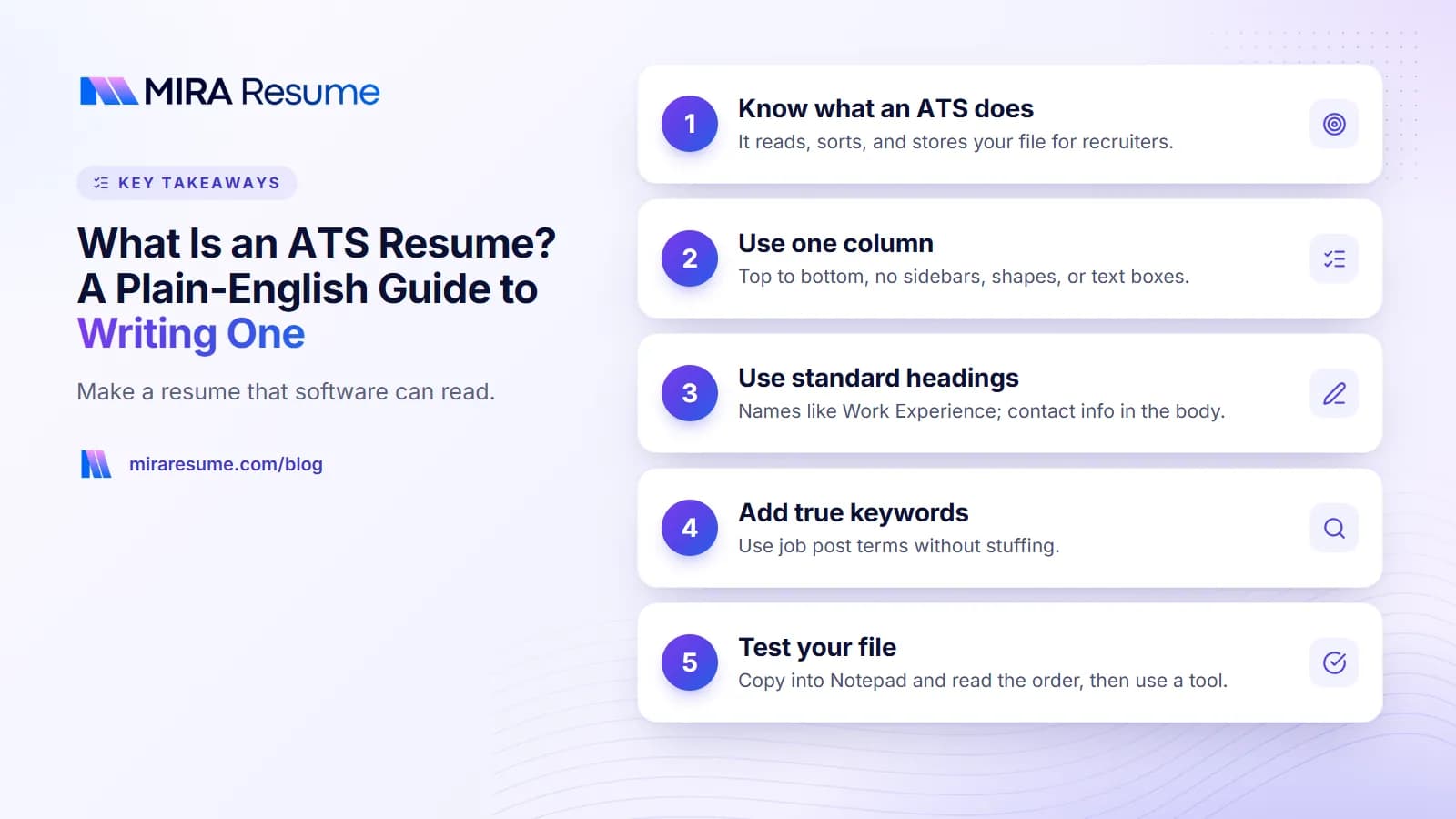
Use one column
Columns can make the software read across the page instead of down it, so a line from your skills list might land in the middle of a job entry. One column avoids this.
Keep your contact details in the body
Some systems skip headers and footers. Put your name, city, phone number, and email at the top of the main page. A link to your LinkedIn profile is fine as plain text. See our guide on how to put LinkedIn on a resume for wording.
Use standard headings
Plain names help the parser know what each part is. Good choices are Summary, Work Experience, Education, Skills, and Certifications. You can add Projects or Volunteer Work when they help.
Write dates the same way every time
Pick one style, such as "Mar 2022 - Aug 2025", and use it throughout. Mixing styles can confuse the system about your timeline.
Choose simple fonts and bullets
Common fonts at 10 to 12 points are fine. Use plain round bullets. Rare symbols can turn into empty boxes.
Skip graphics and text boxes
Icons, charts, logos, and text boxes may be skipped or read in a strange order. If it is important, write it as normal text.
Choose the right file type
Follow the job post if it names a format. If it does not, a text-based PDF is a common, safe choice, and so is a .docx file. The key test is whether you can select and copy the words in the file. A scan or a screenshot saved as a PDF may contain no readable text at all. Mira Resume exports PDF files built as text, so the words can be selected, and can also download a plain Word (.docx) file.
For a longer walkthrough of layout choices, read how to format a resume and the ATS-friendly CV template guide.
ATS resume example: what goes in each section
Here is a simple map of an ATS resume, from top to bottom. Use it as a checklist when you build or review yours.
| Section | What to include | Tip |
|---|---|---|
| Header | Name, city and state or country, phone, email, optional profile link | Use plain text. Skip your full street address. |
| Summary | Two to three lines on who you are, your main strengths, and the role you want | Use words from the job post that are true for you. |
| Skills | Tools and skills you really have, in a simple list | Spell out acronyms once, such as "Search Engine Optimization (SEO)". |
| Work Experience | Job title, company, location, dates, and 3 to 6 bullets per role | Start bullets with action verbs and show results where you can. |
| Education | Degree, school, and graduation year if it helps | Put it above experience if you are a recent graduate. |
| Certifications | Name, issuer, and year | List only what is relevant and current. |
A sample experience entry
Here is how one job might look on the page. The details are made up for illustration.
Customer Support Specialist, Brightway Retail, Austin, TX
Jun 2022 - Present
- Resolved customer questions by email and chat using Zendesk and kept replies inside the team's response-time goal.
- Trained five new teammates on the returns process and wrote a one-page guide they still use.
- Flagged a repeat shipping problem to the logistics team, which led to a clearer delivery notice.
Notice what is missing: no table, no icons, no columns. The wording is plain, and each bullet says what you did and why it mattered. For more section ideas, see things to put on a resume, and for opening lines, see resume summary examples.
How to use keywords without stuffing
Recruiters often search their system by words, such as a job title, a tool, or a skill. So your resume should contain the words the job asks for, as long as they are true.
A simple keyword method
- Copy the job post into a document.
- Highlight the skills, tools, and duties that appear more than once or near the top.
- Circle the ones you can honestly claim.
- Work those words into your summary, skills list, and bullets, in sentences that show how you used them.
Use the same form the post uses. If it says "customer relationship management (CRM)", write it that way at least once. Our resume keywords guide goes deeper, and the skills to put on a resume article shows how to word a skills section.
What not to do
- Do not paste a block of keywords at the bottom of the page.
- Do not hide white text. It is easy to spot and can get you rejected.
- Do not claim a skill you do not have. It tends to come out in the interview.
Good bullets also use strong verbs. Browse action verbs for resume bullets when your wording feels flat.
How to test whether your resume is ATS-friendly
You can check your own file in a few minutes. Do the free manual test first, then use a tool for a second opinion.
The copy-and-paste test
- Open your resume, select all, and copy.
- Paste into a plain text app like Notepad.
- Read the result from top to bottom.
Your name should come first. Jobs should be in order, with titles, companies, and dates together. Nothing should be missing or jumbled. If it looks messy here, a parser will likely struggle too.
The tool test
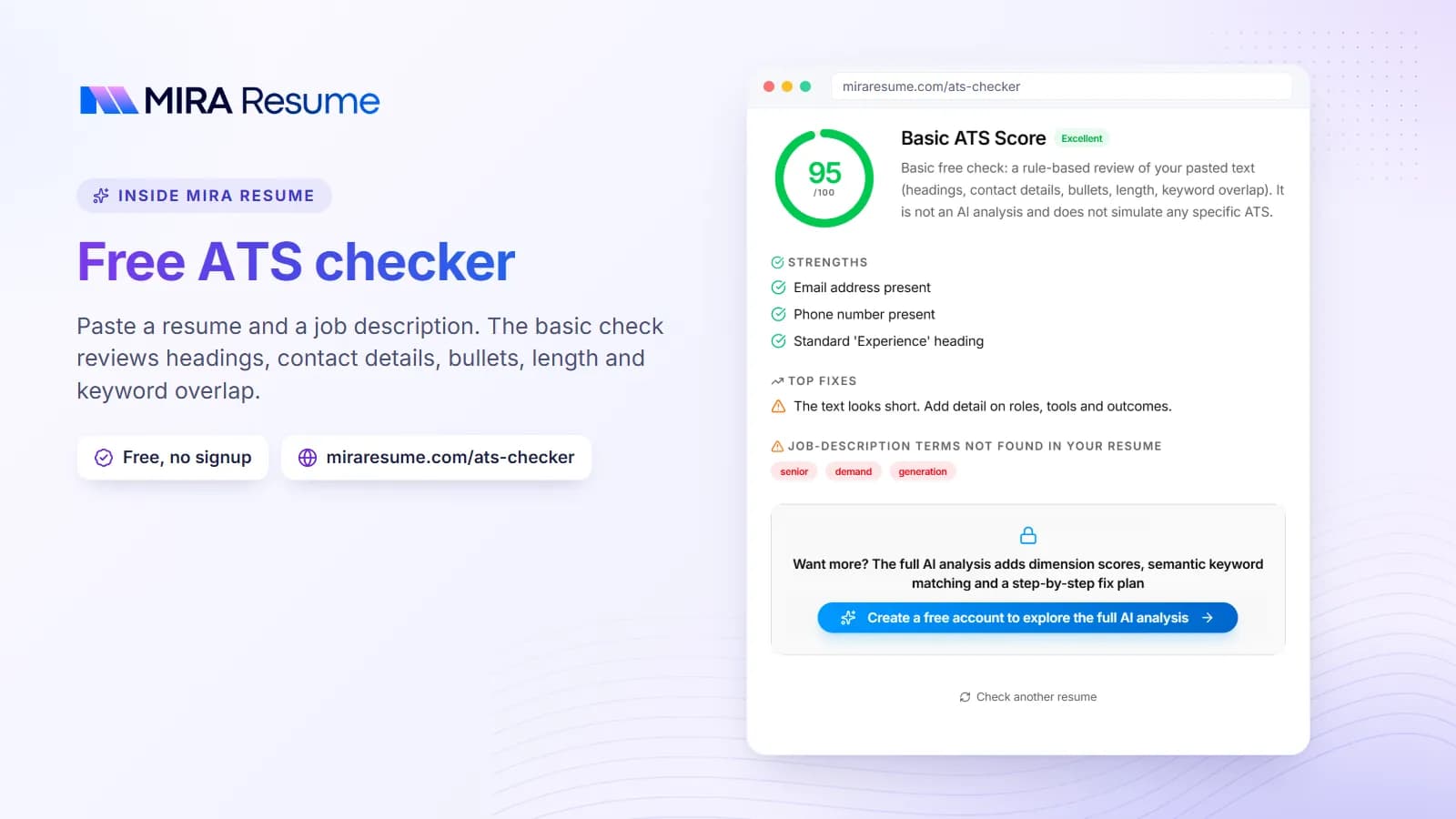
A checker can look at things that are hard to see by eye, such as missing sections and layout traps. The Mira Resume ATS checker reviews your file against rule-based checks and, if you add a job description, points out important words that are missing. The resume checker gives broader feedback on bullets, grammar, and structure.
Keep in mind that no checker can copy any one employer's system. Treat the result as a to-do list, not a verdict. A score is a guide, so do not chase a perfect number at the cost of honest, clear writing.
If you want a head start
You can also begin with a clean layout and fill in your details. An AI resume builder can draft wording for you and start you with a one-column design. AI drafts can contain mistakes or made-up details, so read every line and fix anything that is not true.
ATS resume myths worth ignoring
There is a lot of fear around this topic. Here are some common ideas and what is more likely to be true.
| Myth | More accurate view |
|---|---|
| "The ATS rejects most resumes before a human sees them." | Setups vary. Many systems mainly store and sort applications. Some employers add knockout questions, such as work authorization. Nobody outside a company can promise what its system does. |
| "You need a special ATS template." | You need a clear, simple layout. Many ordinary templates already qualify. |
| "More keywords always means a better score." | Repeating words makes you look careless. Use true, relevant terms in context. |
| "A PDF always fails." | A text-based PDF is commonly read well. Problems come from image-based PDFs and tricky layouts. |
| "A 100% score guarantees an interview." | No score can do that. People still decide who gets a call. |
The honest takeaway: make it easy to read, match it to the job, and keep it true. That helps with software and with the person who reads it next.
Common mistakes on ATS resumes
- Using a two-column template without testing it. Always run the copy-and-paste test.
- Putting contact details in the header. Some systems ignore the header area.
- Inventing section names. "Where I have been" is charming, but "Work Experience" is clear.
- Sending one resume to every job. Adjust your summary, skills, and top bullets for each post.
- Using skill bars and star ratings. They say nothing in text. Write the skill and, if useful, how you used it.
- Making the file too long. Most people are fine with one or two pages. See how many pages a resume should be.
- Chasing a score. Fix the big issues, then spend your time on stronger, truer bullets.
A ten-minute ATS resume checklist
Run through this list before you apply.
- One column, top to bottom.
- Name, phone, and email in the main body.
- Headings: Summary, Skills, Work Experience, Education.
- Same date style throughout.
- Common font, plain bullets, no images or text boxes.
- Skills and tools from the job post that you truly have, used in context.
- Bullets that start with action verbs and show results.
- Text-based file you can select and copy.
- Copy-and-paste test passed.
- Checked with the ATS checker and the biggest issues fixed.
That is it. It will not guarantee a call, because no one can promise that, but it removes avoidable reading errors so your real experience gets a fair look.