Coming soon
AI Resume Tools

Mira Scout vs Loopcv: Which One Fits Your Job Search?

Mira Scout vs Loopcv compared: Loopcv runs recurring search loops that apply across job boards. See how Mira Scout differs on matching, limits and control.

Mira Resume Editorial Team · Career content team Published Updated 7 min read
Mira Scout vs Loopcv: cover image for the Mira Resume guide, with an example resume and the 0 main points

Mira Scout vs Loopcv is a question about what you want software to do for you. Loopcv is generally described as an automated job search platform that runs recurring searches and applies on your behalf across many job boards. Mira Scout, coming soon to Mira Resume Pro and Elite, takes a similar automation idea but centres on resume matching, limits and review.

Loopcv and Mira Scout share an idea: set your preferences once and let software do the repetitive part. The details of how they do it are where they differ. This guide compares them side by side, explains where each fits, and covers the trade-offs honestly. Mira Resume is not affiliated with Loopcv. The Mira Scout screens shown below are illustrations with sample data, because the feature has not launched yet. Mira Scout was previously called AI Career Ops; only the name has changed, and the plans and rules described here are the same.
The short answer

Loopcv is one of the better-known automated job search platforms. You upload a CV, set preferences and let recurring "loops" search and apply. Mira Scout follows a similar principle inside Mira Resume, with an agent that finds and ranks roles and an applier that works within your rules.

Because both automate, the useful comparison is about control, tailoring and what happens to your resume and data, not about whether automation exists.

What Loopcv is

Loopcv describes itself as a platform that scans many job boards on a schedule, matches roles to your preferences and applies automatically or semi-automatically. Its own pages describe a free tier with limited loops and boards, and paid plans with more volume and filters. Independent reviews note that coverage varies by region and depends on how job sites expose their postings.

Plan limits and pricing differ between sources, so confirm current details on Loopcv's own site.

What Loopcv does well

Automation platforms like this are good at the unglamorous basics:

  • Running on a schedule. Searches happen daily without you opening a single board.
  • Setup once, benefit repeatedly. A preferences form drives the whole loop.
  • Volume caps. Limits on daily or monthly applications help avoid over-sending.
  • A usable free entry point. You can test the idea before paying.

As with any automation, results depend on your resume and your settings. A tool can repeat good work or bad work equally well.

Where Mira Scout is different

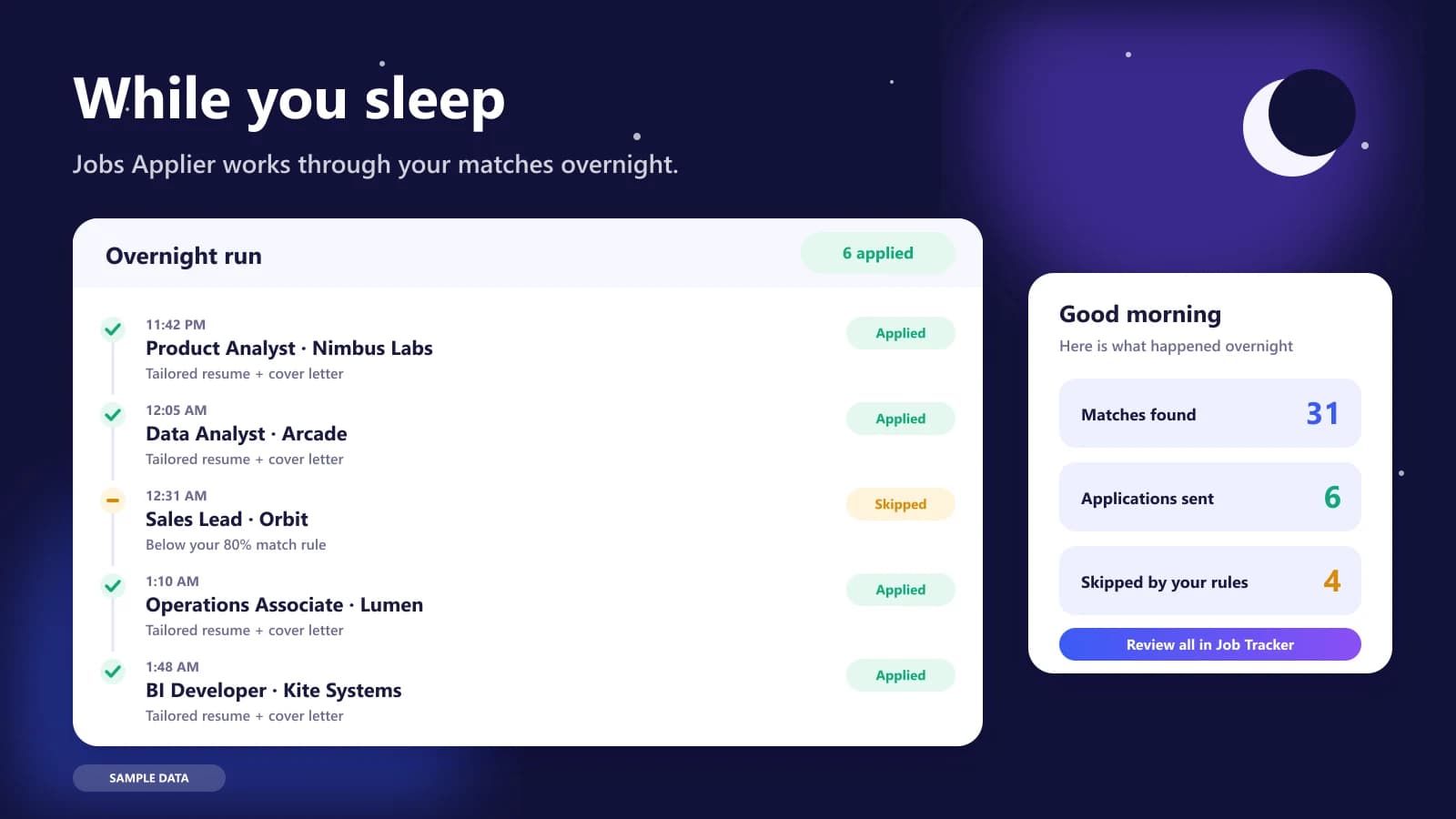
Mira Scout is built into the same place you write your resume. That matters because the agent matches roles against the actual resume you maintain in Mira, and the applier tailors from it. The AI Job Search Agent and Job Finder ranks roles by resume match, the Jobs Applier works within your minimum match, daily limit and skip list, and every result is logged in the Mira Job Tracker, next to your resumes, cover letters and ATS scores.

There is no copying a CV into a separate service and keeping two versions in sync. One master resume feeds the finder, the applier, the tracker and your manual edits.

Illustration of the Jobs Applier overnight run: a timeline of tailored applications sent and a morning summary
Illustration with sample data: an overnight run, with a morning summary of what was sent and what was skipped.

Mira Scout vs Loopcv: side-by-side comparison

This table describes what each tool is designed for. Loopcv details come from its own published pages and third-party reviews, and may have changed, so check its website directly. Mira Scout details describe our plan and may change before launch.

QuestionLoopcvMira Scout (coming soon)
ApproachRecurring search loops across job boardsAgent plus applier built on your Mira resume
Resume sourceA CV uploaded to the platformYour master resume in Mira Resume
MatchingPreferences and keywordsResume match score for each role
ApplyingAutomatic or semi-automaticOptional auto-apply with rules and a pause switch
LimitsPlan-based volume capsYour own minimum match and daily limit
TrackingWithin the platformMira Job Tracker alongside resumes and letters
AvailabilityAvailable nowPro and Elite members, launching soon

What to check before trusting any auto-apply service

Whichever service you use, ask a short list of questions before you hand over your resume and let it act for you.

  • What exactly will it submit? Look for tailoring and a way to review results, not just a counter of applications sent.
  • Which sites does it use, and do they allow automation? Read the terms of the boards involved.
  • What happens to your data? Understand where your resume is stored and how it is used.
  • Can you stop it instantly? A pause switch should exist and work.
  • Is your resume ready? Run an ATS check first, and read about how applicant tracking systems work.
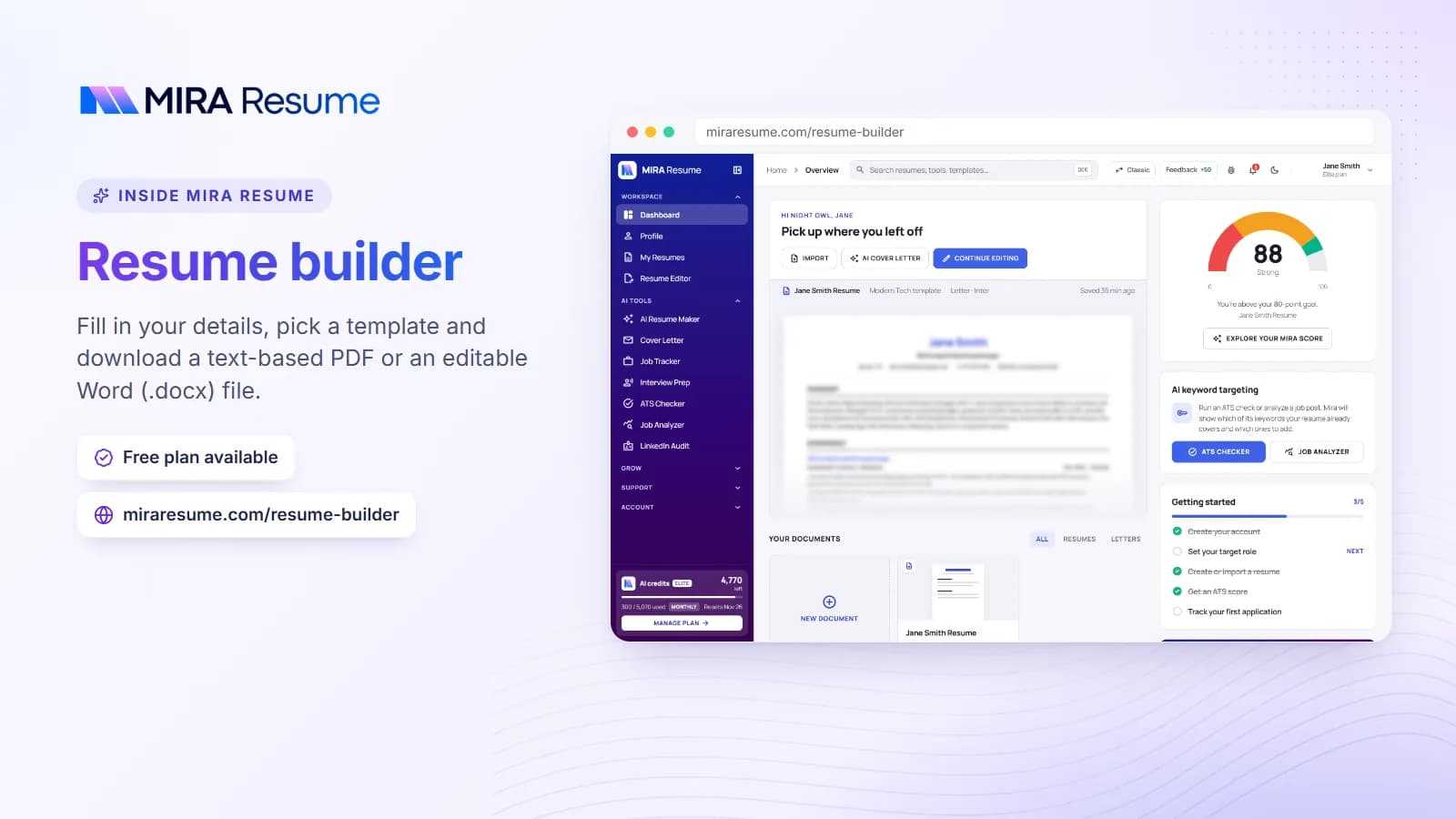
Screenshot of the Mira Resume resume builder (Fill in your details, pick a template and download a text-based PDF or an editable Word (.docx) file.)
Screenshot: Resume builder: Fill in your details, pick a template and download a text-based PDF or an editable Word (.docx) file.Try it
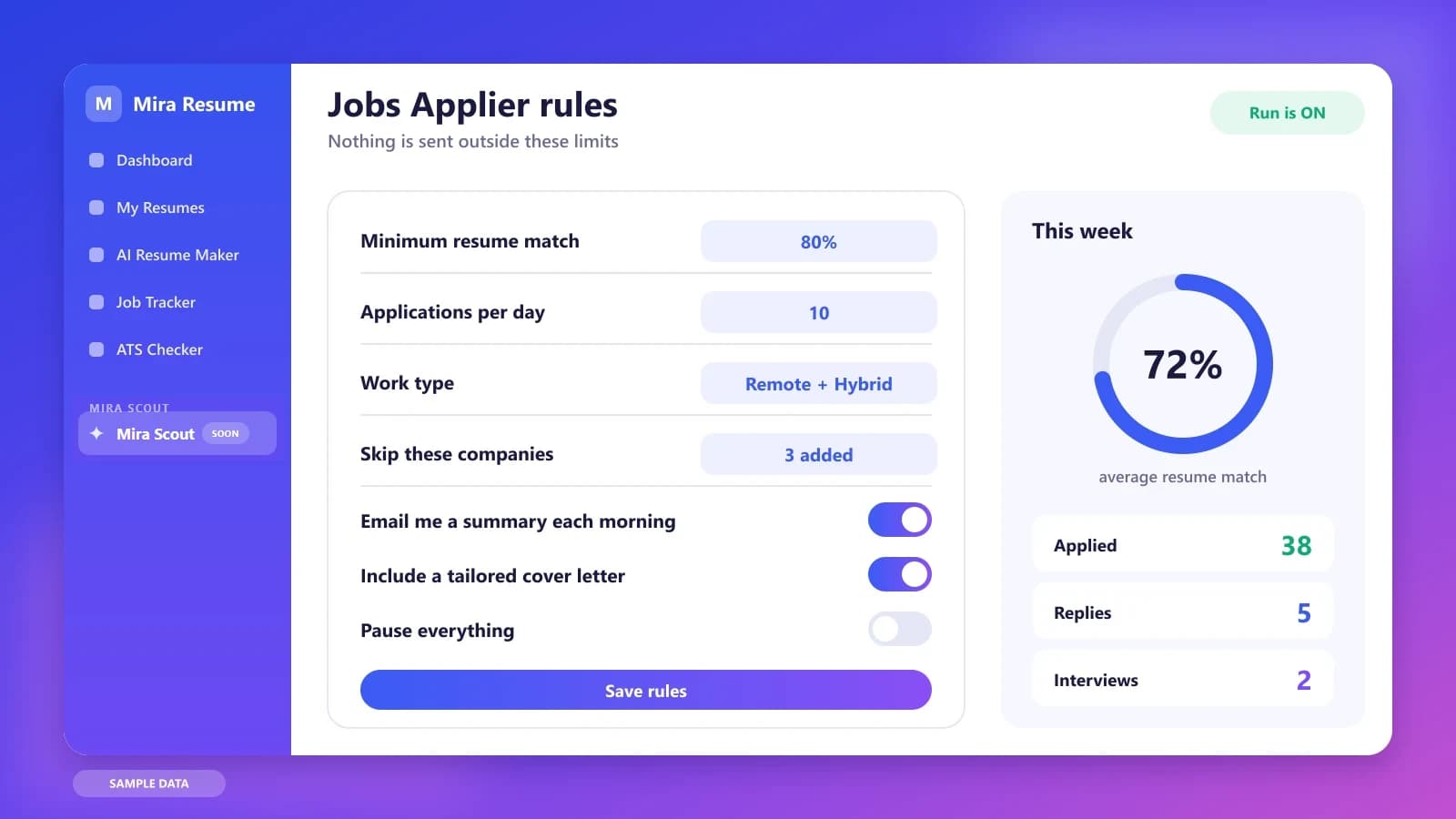
Illustration of the Jobs Applier rules screen: minimum match, daily limit, work type, pause switch and weekly stats
Illustration with sample data: the rules that decide what the applier is allowed to do.

A realistic week with a recurring search loop

With a loop-style service, the first day is setup: upload a CV, choose roles, locations and boards, and decide how many applications you will allow. From then on the loop runs each day on its own, and you check what it did.

With Mira Scout the setup is similar but starts from the resume already in your Mira account. Your rules, the minimum match, the daily limit and the skip list, apply on top. Each morning you read a summary and open the Job Tracker for the detail. If you edit your resume on Wednesday, the agent works from the new version on Thursday, because there is only one master copy.

Three job seekers, three different set-ups

Ingrid, a marketer in Europe, wants a standalone service that runs loops across several boards and does not mind keeping a CV on it. A dedicated automation platform may suit her well.

Rahul, a developer already using Mira Resume, wants one master resume that powers everything: editing, ATS checks, matching, tailoring and tracking. For him, keeping the agent inside Mira avoids the work of syncing two versions.

Chloe, a cautious first-time automator, wants to test the idea cheaply. She begins on a free tier of whichever service she picks, with the lowest limits, and widens only after reading the first week's results.

Questions to ask any automated job search platform

  • Which boards and regions does it cover for my target roles?
  • How is my resume stored, and can I delete it?
  • What does the free tier really allow, and what changes when I pay?
  • How do I see, pause and cancel what it is doing on my behalf?

Limits to keep in mind about automation platforms

Coverage depends on region, role and how job sites expose their postings, so a platform that works well for one profile may do little for another. Free tiers usually cap loops, boards or monthly volume. Verify the details on Loopcv's own pricing page, since third-party figures vary, and test with your target roles before relying on any service.

Which should you use?

  • Consider a dedicated platform like Loopcv if you want a standalone automation service and are comfortable keeping your CV in it.
  • Consider Mira Scout (after launch) if you would rather keep one master resume in Mira and have matching, tailoring, tracking and applying in one place.
  • Either way, start with low limits, check the early results and only then scale.

The bottom line

Both approaches turn a one-off setup into a steady stream of applications. The difference is where your resume lives and how closely the system is tied to the rest of your job search. A standalone platform can be a good way to test automation quickly. An agent built into the place where you already write, check and track your resume reduces duplication and keeps one version of the truth. Try a low-volume week with whichever you prefer, read the results honestly, and keep the option to apply by hand whenever a role deserves it.

Whichever way you lean on Loopcv, the groundwork is the same:

  1. Finish one master resume. Every matcher, agent and tracker works better from a clean, honest document.
  2. Run an ATS check. Use the free ATS checker to catch formatting and keyword gaps.
  3. Write down your rules. Roles, locations, salary floor, companies to avoid and a daily number you are comfortable with.
  4. Check your plan. Mira Scout is for Pro and Elite members, so compare options on the pricing page. The Mira Scout section is already visible in the V2 dashboard, with a launch countdown.

One last tip: whichever tools you choose, review the results weekly. Count applications sent, replies received and interviews booked, then adjust your resume, your rules or your targets based on what the numbers show. Small, regular adjustments usually beat one big change made in a panic.

Keep reading in the Mira Scout series. Start with Mira Scout: the complete guide, then compare it with other kinds of tools:

Frequently asked questions

Is Mira Scout like Loopcv?

They share the idea of automating the search and applying, but Mira Scout is built into Mira Resume. It works from your master resume, ranks roles by resume match, applies within rules you set, and logs everything in the Job Tracker alongside your documents.

Does Loopcv apply automatically?

Loopcv is generally described as applying automatically or semi-automatically based on your preferences. Check its own website for how its current plans work, since limits and features change. Mira Scout is designed with match thresholds, daily limits and a pause switch.

Which has better job coverage?

Coverage depends on region, role and how job sites share postings, so there is no universal winner. Test any service with your own target roles before you commit, and check what boards each one supports.

Do I have to keep a separate CV in each tool?

With a standalone service you typically upload a CV to it. With Mira Scout, the agent works from the resume you already maintain in Mira, so you edit one master version and everything else follows.

When can I try Mira Scout?

It is coming soon to Pro and Elite members, and the V2 dashboard shows a countdown. Features may change before launch. Meanwhile you can prepare your resume with the ATS checker and the resume editor.

Found this useful? Share it

Send it to a friend who is job hunting, or save it for later.

Read this guide with AI

Get a plain-language summary and help applying it to your own resume. Pick an assistant; it opens with this article and a ready prompt.

Back to AI Resume Tools hub

All articles